Claude now handles my email for me
Plus Opus 4.7 just shipped, Routines are live, and Perplexity personal computer is here baby

Remy Gaskell
April 17, 2026

buckle up amigos,
what a week it’s been. spent the last 2 weeks in miami with the Comfrt team, and then took my first private jet flight (courtesy of Hudson), to LA a few days ago. Safe to say the last 3 weeks have been something to remember.

Amidst all that i’ve been catching AI release strays left right and centre. here is what you need to know for this week in AI…
📌 TL;DR
Opus 4.7 → Nice step up from 4.6, vision is the standout. /ultrareview, auto mode on Max, xhigh is the new default.
Claude Code Desktop + Routines → Desktop got a proper glow up. Routines lets you schedule saved prompts/ skills to run automatically.
Perplexity Personal Computer → Perplexity's first local agent, live today on Max. Reads your Mail, Calendar, iMessage, and files.
HeyGen Avatar V → 15-second webcam gets you a 30-minute clone of yourself in 175 languages. Uncanny valley's dead.
Builder's notes → LLM Council skill, plus my inbox triage + morning brief skills running on Routines.
Anthropic just shipped Opus 4.7
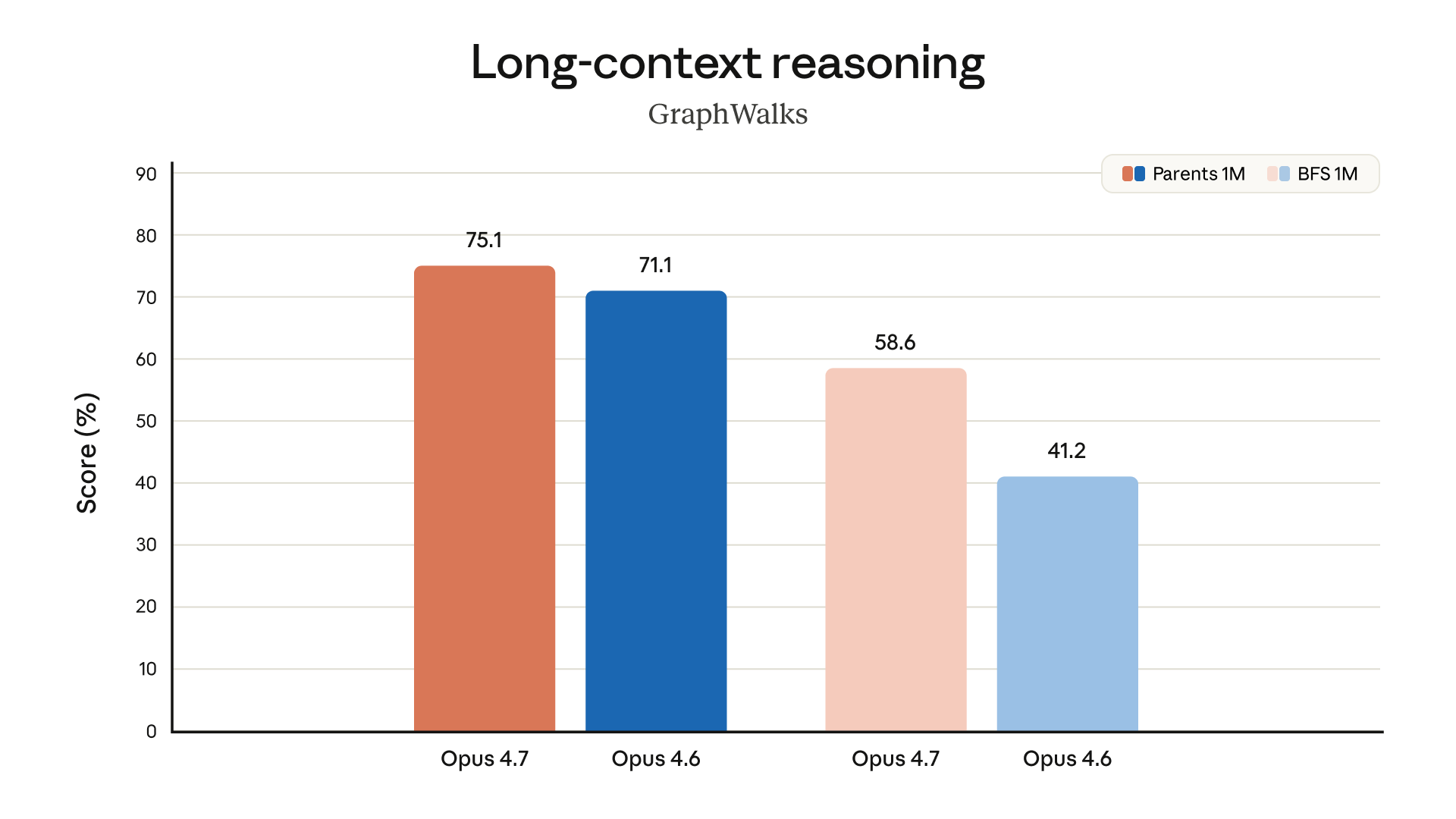
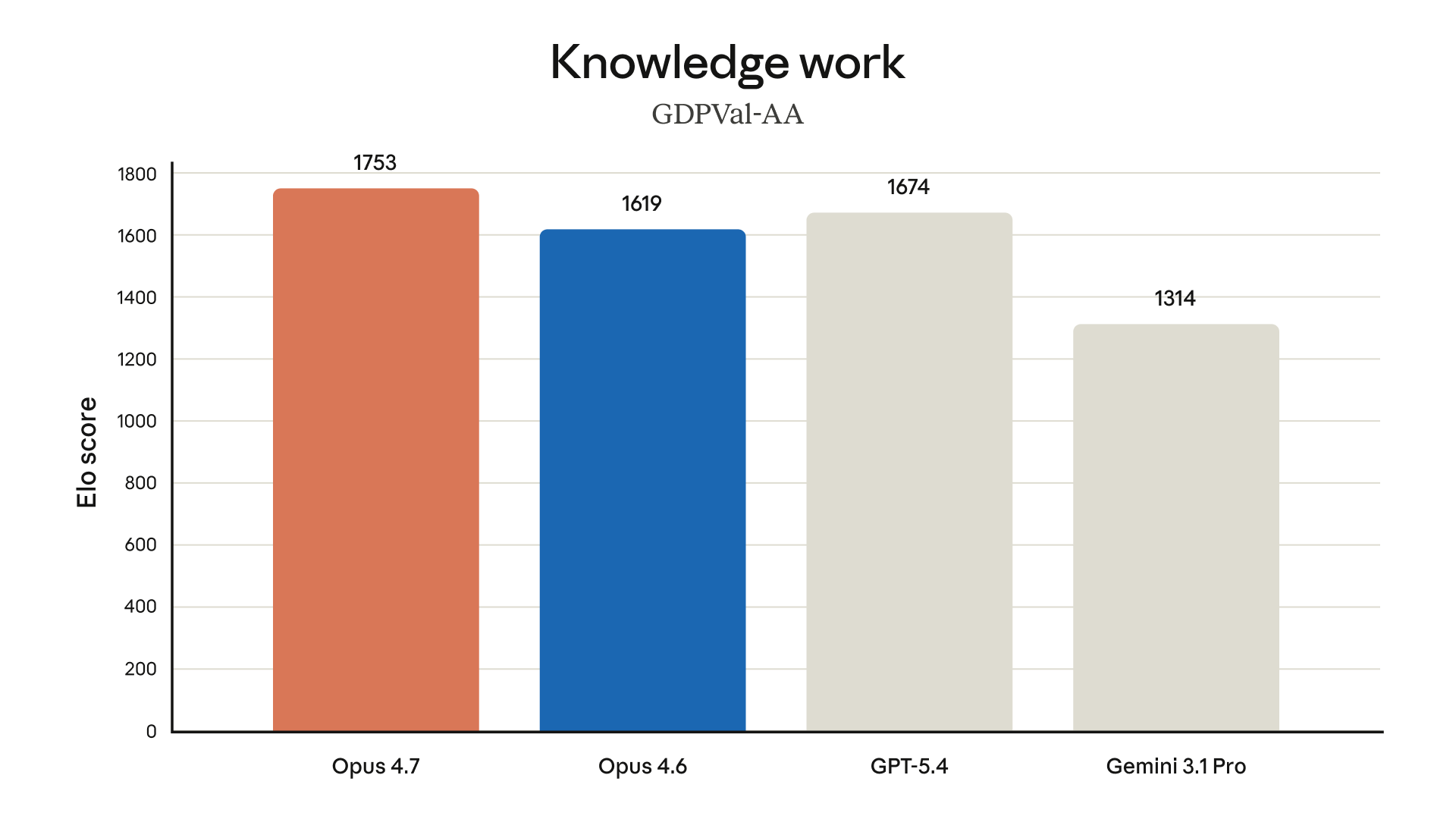
Opus 4.7 shipped today, a very nice step up from 4.6, with vision as the standout.
It sits roughly halfway between 4.6 and Mythos (Anthropic's more capable model they're still holding back for safety reasons).
Opus 4.7 now reads images at 3x the resolution of 4.6 (the image benchmark went from 54.5% to 98.5% 🤯), so dense dashboards, messy screenshots, and scrappy whiteboard photos actually get seen properly now.
Inside Claude Code, three things worth knowing…
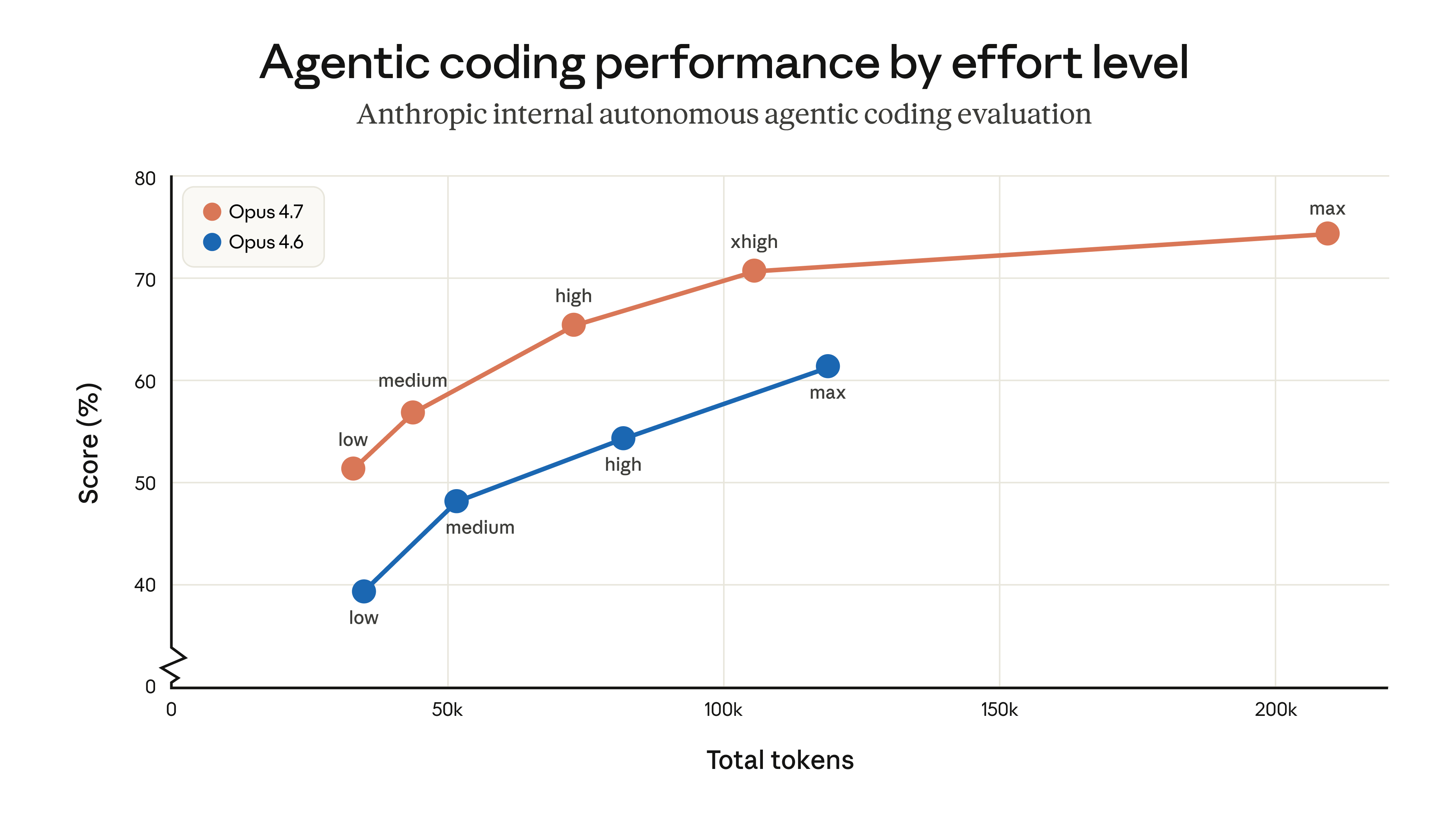
xhigh is a new effort level sitting between high and max, and it's now the default across every plan.
Claude thinks harder on every task, which is great for quality but burns through tokens a bit faster. If your usage creeps up, drop back to high.
Auto mode is now on Max, so you can just let Claude run without having to sit there approving every action.
And /ultrareview is specifically a coding thing. Kicks off a dedicated review session where Claude reads through your code and flags bugs, logic holes, and design issues before you ship. Pro and Max get 3 free runs.

Claude Code Desktop got a glow up (plus Routines just launched)
Both dropped earlier this week alongside Opus 4.7.
A full UI overhaul of the desktop app, and a new feature called Routines.
Routines = scheduled tasks for your AI teammate.
Save a prompt, point it at a folder or a GitHub repo, pick a trigger (a schedule, an API webhook, or a GitHub event), and Claude runs it automatically.
I've got two running already. One's a skill that clears my inbox and drafts replies three times a day, so my email's pretty much managed by an AI agent now.
The other's a morning brief that drops every day when i wake up. Basically any repeating prompt you'd run manually can now run on autopilot.
Limits: Pro gets 5 routines/day, Max 15, Team/Enterprise 25.
If you travel with your laptop shut like i do, local routines won't run unless your machine's open. Two workarounds: push your folder up to GitHub and run it from there, or set up a dedicated Mac mini somewhere with wifi and power to run routines 24/7.
Onto the desktop app, which got a proper facelift and a bunch of actually useful new features: a multi-session sidebar for running multiple projects in parallel, an integrated terminal, live HTML preview, an element selector that lets you click on any UI element to add it to your prompt, and inline diff comments that feed back into your next run.
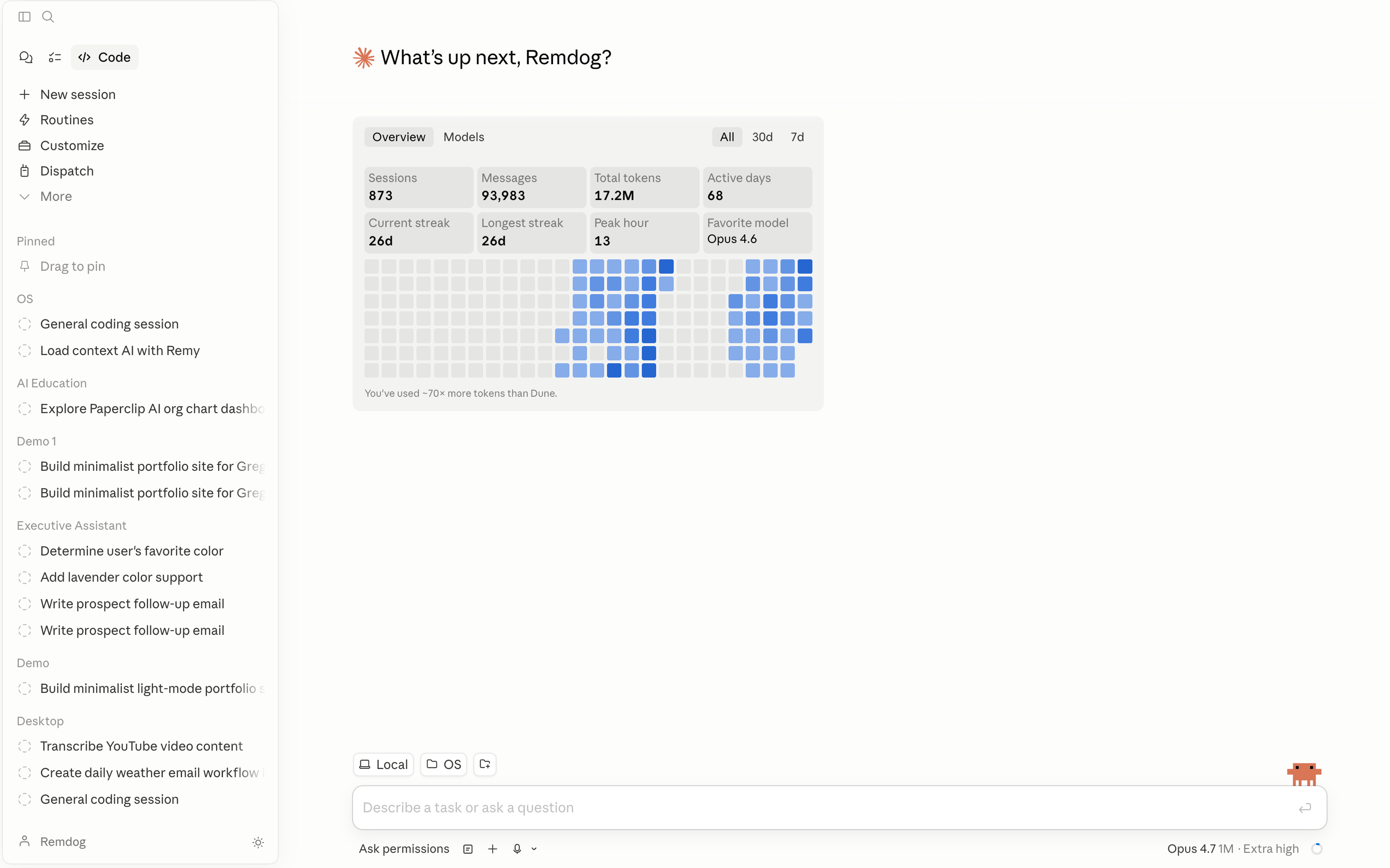
new claude desktop app interface
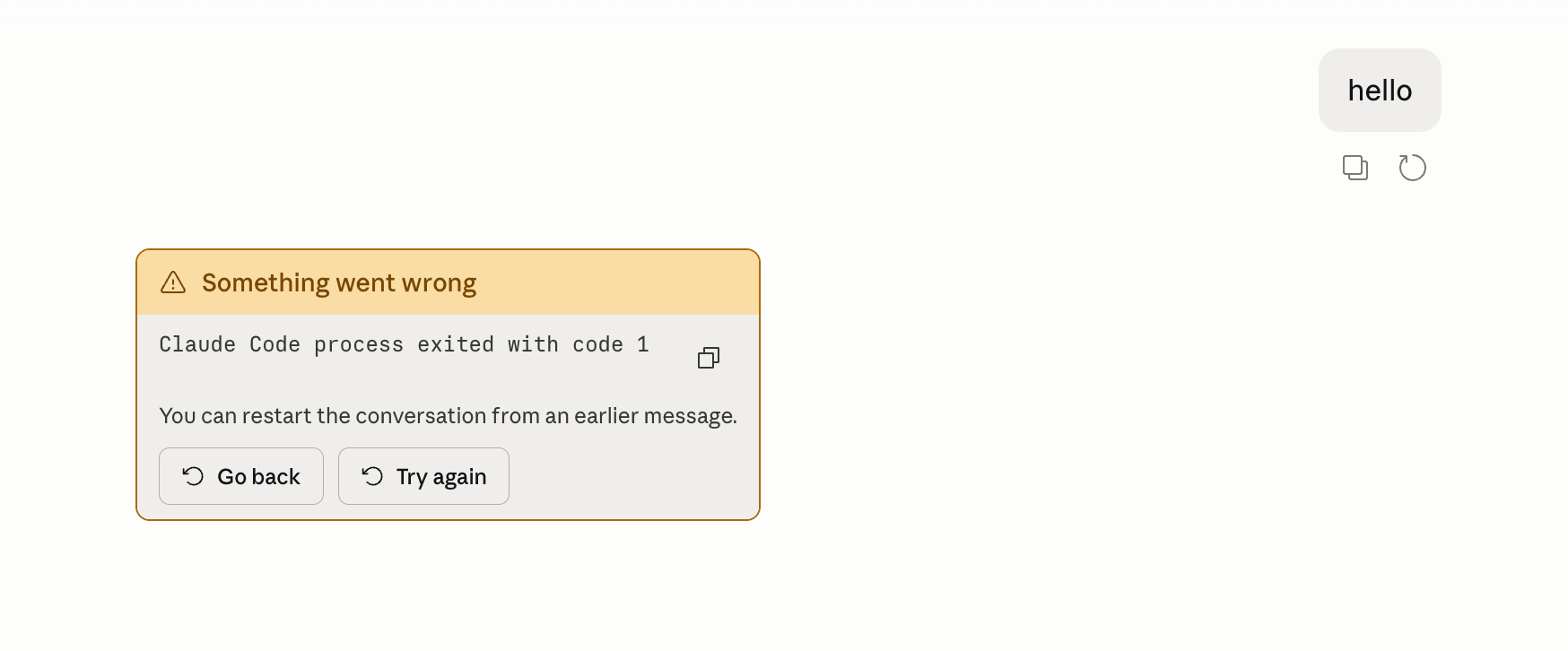
BUT. Two honest issues from my day using it. First, it's been buggy or straight up not working (errors, tasks randomly stopping), whereas the CLI and VS Code extension don't have these issues.
Second, and more baffling: there's no file sidebar. You can't see your project files down the left like you can in VS Code, which for me is the single most useful thing in an AI coding app. Until they sort both those out, it's not going to be my daily driver.
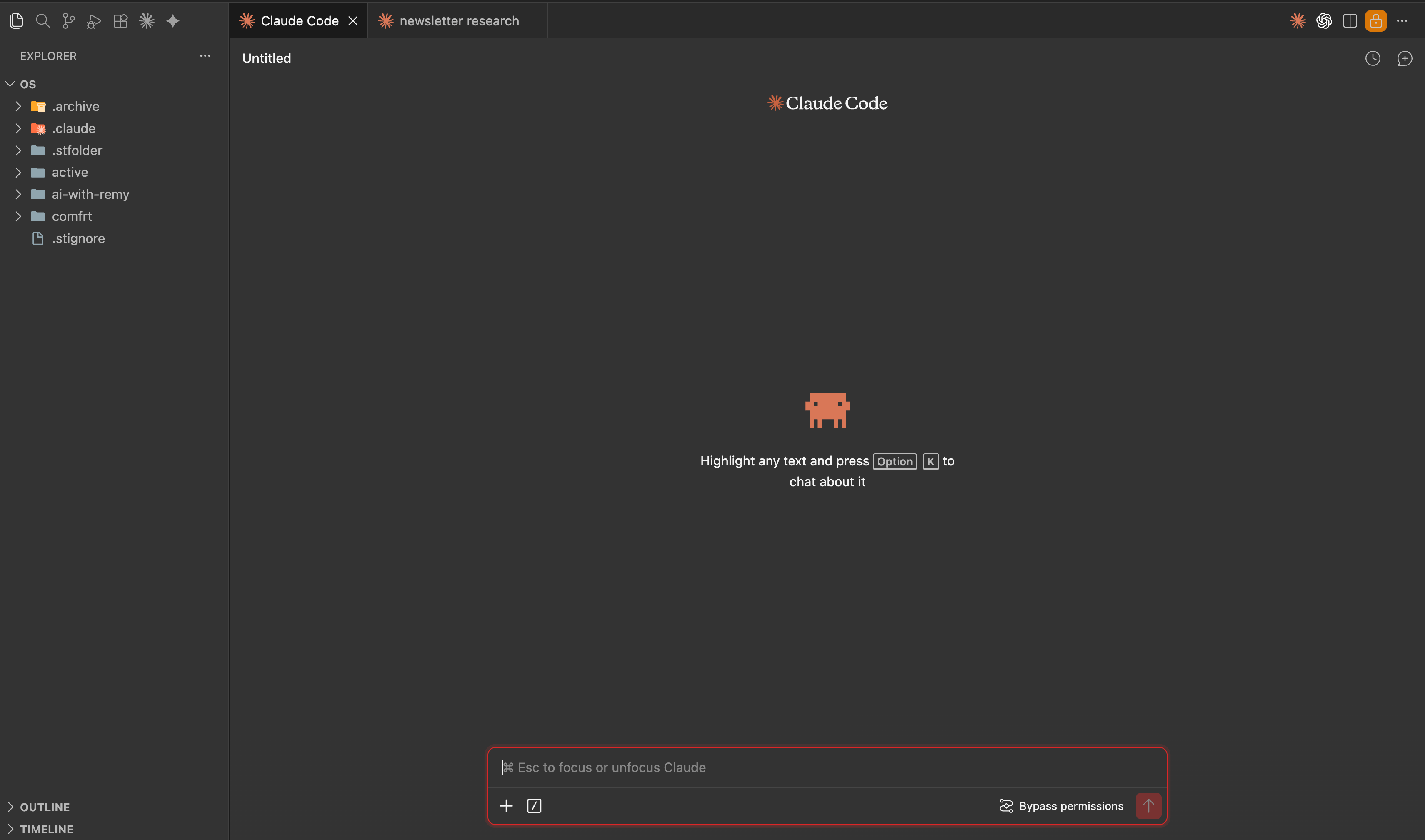
peep the file view on the top left in this vs code window
Perplexity Personal Computer
We've been in the AI agent era for a while now. Most of these agents have lived on the cloud.
Manus ran on Manus's servers. The original Perplexity Computer (launched February) ran on Perplexity's. Both powerful, but neither of them actually lives on your machine.
The agents that changed how people work are the ones that run locally. Claude Code, Codex, Antigravity. They touch your files, apps, and keystrokes directly.
A couple of weeks ago, Manus joined the local camp with Manus "My Computer". A desktop app that moved the agent off Manus's servers and onto your own machine.
This week, Perplexity joined too.
Personal Computer is their first local agent, rolling out today to Perplexity Max subscribers and everyone on the waitlist.
It's a companion to the cloud Perplexity Computer. The cloud side handles orchestration and research. Anything that needs to touch your Mac runs locally.
It reads and writes local files, works across iMessage, Apple Mail, Calendar, and native Mac apps. You can kick off a task from your iPhone and it'll execute on your desktop via 2FA.
Under the hood it's multi-model orchestration. Your request gets routed to whichever model is best for the task. GPT for long context, Gemini for deep research, Veo for video, Nano Banana for images, etc.
Perplexity's recommended setup is a dedicated Mac mini running it 24/7. Which isn't too dissimilar to the Claude Code + SyncThing setup I walked through a few weeks back. The whole category seems to be moving toward the same pattern: an always-on machine running your agent while you go and do other things.
It's on the $200/mo Perplexity Max tier. Pro users ($20/mo) are stuck with the cloud version. Mac-only for now.
I'm really, really excited to try this out. Can't wait to see what the performance is like compared to Claude Code.
Also this week...
HeyGen Avatar V dropped, and this one's a big unlock for creators. 15 seconds of webcam gets you a full AI clone of yourself speaking up to 30 minutes in 175 languages with proper lip sync. Creators testing it on YouTube say the uncanny valley is properly dead. Big for faceless YouTube, UGC ads, and multilingual content.
Notion 3.4 Part 2 shipped with Custom Agents 35-50% cheaper to run, plus direct access to your Calendar, Mail and Slack.
OpenAI launched a $100 ChatGPT Pro tier between Plus and the $200 Pro, giving you 5x more Codex usage than Plus and aimed squarely at Claude Max
Midjourney V8.1 Alpha went live with HD now 3x faster and 3x cheaper (the new default) and moodboards finally stable.
💡 Builder’s notes
Claude is basically a yes-man.
If you ask it "should i build X?", it'll build you a perfectly structured case for why yes. Then ask "should i NOT build X?" and it'll build you a perfectly structured case for why no.
Both answers sound equally convincing, both McKinsey-deck confident, and they completely contradict each other.
This is the most dangerous part of using Claude for real decisions. You end up with confirmation bias on steroids, dressed up as insight.
I found a skill built by Ole Lehmann that genuinely fixes this. It's called The LLM Council.

Here's how it works. You type "ask the llm council" followed by your question, and 5 AI advisors spin up with completely different thinking styles, each forced to attack the question from their own angle:
The Contrarian assumes your idea has a fatal flaw and hunts for it
The First Principles Thinker ignores your question and asks what you're actually trying to solve
The Expansionist hunts for upside you're missing
The Outsider has zero context about you, so it catches obvious stuff invisible to you
The Executor only cares about what you do Monday morning
They all respond independently. Then the skill anonymises their answers, shuffles who said what, and runs a peer review round where 5 reviewers read everything and answer three questions: which response is strongest, which has the biggest blind spot, and what did all five miss? That last question is the gold.
Finally a chairman synthesises everything into a concrete verdict with one clear next step.
The whole thing takes about 2-4 minutes.
I've been running it on every real business decision this month and it's flagged stuff i'd have completely missed asking Claude solo. Caught blind spots i didn't even know were blind spots.
“what feature does the council think I should work on next?”
“what tool does the council think I should use?”
I f*cking love it.
Grab the skill here. Drop it into your Skills in Claude Code or Cowork. Then council something you've been going back and forth on.
Highly recommended. Shout out to Ole for making this public.
While we're on Routines. I've got two skills running on schedules right now that have been an absolute life saver.
The first is an inbox triage skill that runs three times a day across both my Gmail accounts. It pulls every unread email, classifies each one (newsletter, automated system noise, brand collab, opportunity, fan), then acts on it automatically.
Newsletters and automated stuff get labelled and archived.
Collab pitches get labelled and archived.
Real opportunities (consulting enquiries, 1-1 requests, done for you builds) stay in my inbox with a draft reply already written.
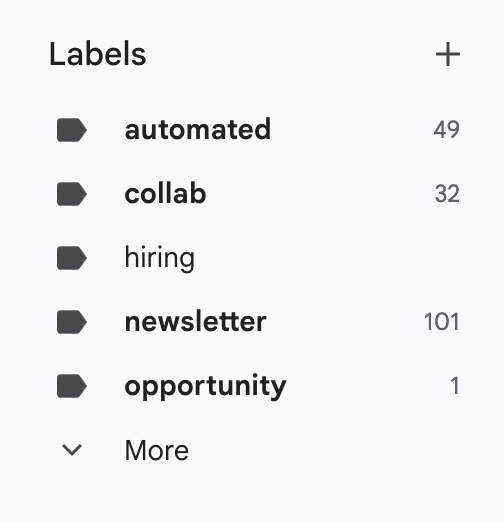
The skill reads my voice DNA file from Obsidian before drafting anything, so replies come out actually sounding like me and not a corporate support bot.
End result: inbox triaged to zero three times a day with drafts waiting for the stuff that actually needs my attention. I just open my laptop, review the drafts, hit send.
The second is a morning briefing skill that runs at 5:30 AM every day. It spins up three agents in parallel:
One pulls my calendar for the day from both Google accounts
One scans my inboxes for the handful of "heads up" emails that actually matter (stuff from people i actively work with, time-sensitive replies, schedule changes). Automated notifications and cold outreach get filtered out with a high bar
One reads yesterday's Obsidian daily note and pulls out any unchecked tasks plus new action items from my End of Day notes
Then it writes me a fresh Obsidian daily note with schedule, carryover tasks, and heads-ups, and pings me a condensed Telegram summary so i wake up to a briefing instead of 40 unread emails and a blank day ahead.
Both run totally hands-off on a schedule. One of the biggest productivity unlocks i've built with Claude this year. If you've got repeating work you do every day, write a skill for it, then hook it up to a schedule. That's basically the entire playbook.
🧰 Tools to try
X bookmarks CLI → A CLI that syncs your X bookmarks locally so your AI agents can actually search them. I use this every day for newsletter research and for cross-referencing bookmarks with whatever i'm working on. Big unlock if you save a lot of stuff on X.
Garry Tan's SOUL.md → absolutely cracked (add this into your CLAUDE.md globally)
Chrome DevTools MCP → Gives your AI coding agent full access to a real Chrome DevTools session. It can open a browser, click around, inspect network requests, take screenshots, run Lighthouse audits, and read console errors.
🥣 Brain food
How to use Obsidian + Claude Code → Dropped my full setup walkthrough on YouTube this week. Covers how to turn Obsidian into your AI's second brain.
AI agent beginner course with Greg Isenberg → If you're new to agents, this is your foundations episode. I sat down with Greg and went through everything from scratch.
Ramp's AI adoption playbook by Geoff Charles → Ramp went from barely using AI to 6,300% internal growth. 84% of staff now use coding agents weekly, and non-engineers ship 12% of all manual PRs. The framework he breaks down is applicable to any team, not just Ramp's.
Thats all for today folks!!
